Testing & Validation
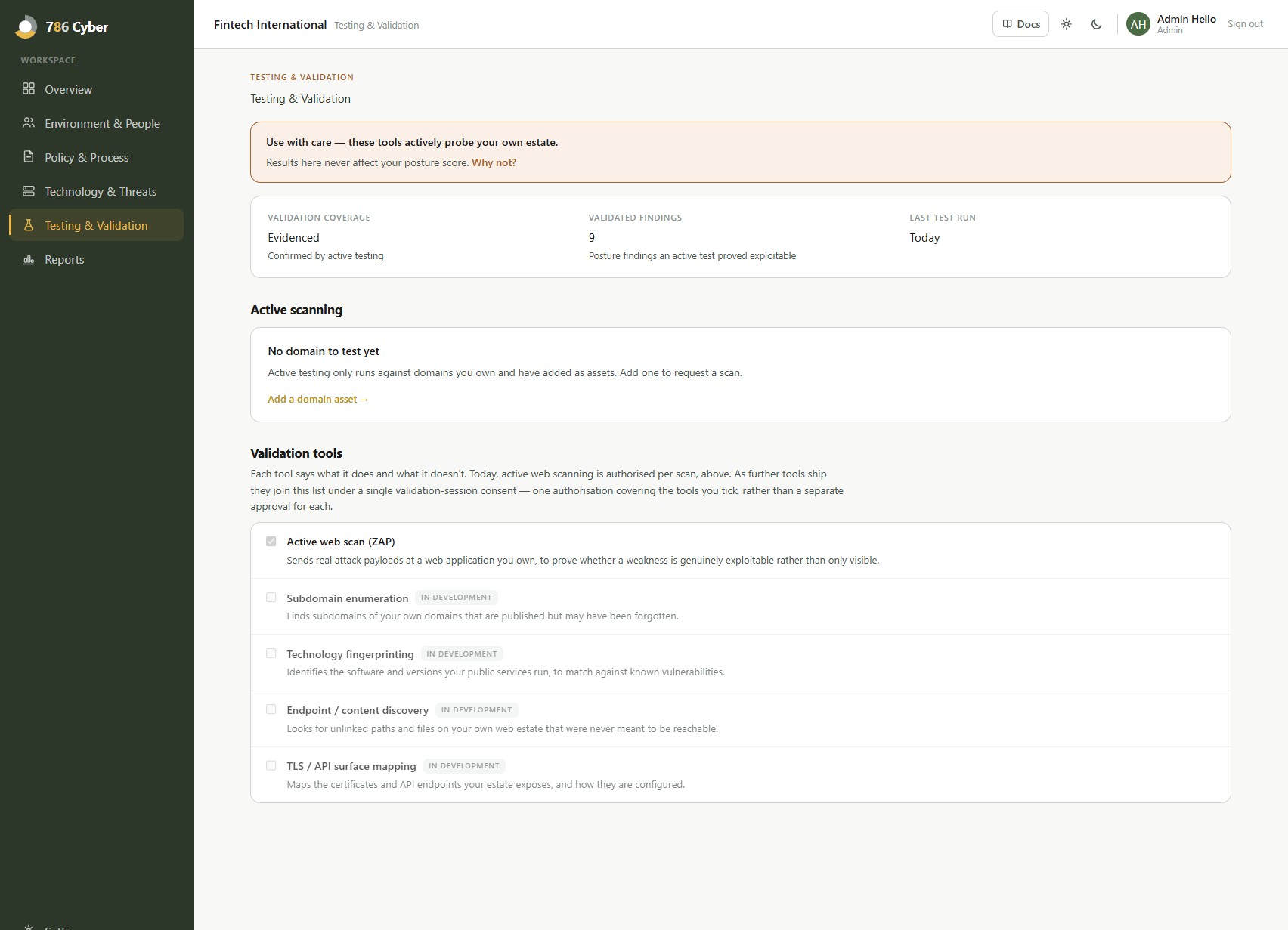
Testing & Validation is home to 786 Cyber’s active testing tools — capabilities that actively probe your own estate rather than passively observing it. Everyone can see this section; every action in it — authorising a tool, viewing raw output — is restricted to administrators.
Use with care. These tools send real traffic at your live systems. Results here never affect your posture score — see “Why this isn’t scored” below.
Find it at Testing & Validation in the side navigation (/testing).
What’s in here
Section titled “What’s in here”Two things, side by side:
- Active web scanning — the platform’s existing active-scan capability, promoted here from the asset page rather than rebuilt. It sends real attack payloads at your web application to confirm whether a vulnerability is genuinely present and exploitable, the same class of testing a manual web-application penetration test performs. It finds issues a passive scan structurally cannot, such as injection and cross-site scripting. It keeps its own approval flow — see “Running an active scan” below.
- Validation tools — DNS, IP and application-layer reconnaissance tooling, added to this section over time as they’re ready. These use a single shared consent flow (below) rather than a separate approval per tool.
Each tool carries a plain-language description of what it actually does, written for a non-specialist administrator.
Running an active scan
Section titled “Running an active scan”Because it sends real attack traffic, active scanning works differently from every other scan on the platform:
- Request — anyone on your team can request a scan for a domain that already has web scanning enabled.
- Authorise — an administrator reads the authorisation in full, confirms they’re entitled to permit testing of that target, and approves it. Only administrators see this step. Every approval is recorded — who approved it, which target, and when — and is visible to you.
- Start — an administrator starts the scan when it suits you. Prefer a maintenance window; a scan typically takes 30–90 minutes.
An authorisation covers exactly one scan of exactly that target. It lapses if unused within seven days, and you can revoke it any time before the scan starts. Once a scan has run, the authorisation is spent — the next scan needs a new one. It only ever runs against a domain you own and have verified; it’s rate-limited so it doesn’t degrade your site.
Running a validation session
Section titled “Running a validation session”The other tools in this section use one shared consent flow instead of a separate approval each:
- Tick the tools you want to include in this session.
- Start validation session — one action authorises everything you’ve ticked.
- An administrator confirms they’re entitled to permit testing of the target before the session starts.
New tools are added to this same list as they ship — you’ll never need to learn a new approval flow just because a new tool became available.
Tell your security team first
Section titled “Tell your security team first”Active scanning will look like a genuine attack to your defences — it may raise alerts in your WAF, IDS or SIEM, and an aggressive WAF may block the scan partway through and skew the result.
Active scans originate from a single fixed address:
786 Cyber active-scan source IP:
34.13.14.223
Before you start a session, allow-list that address (or at minimum notify whoever monitors your alerts) so the traffic is expected. If your site sits behind a WAF or CDN, allow-listing it also stops the scan being throttled, which gives you a more accurate result. The traffic also identifies itself in your logs by user agent:
786CyberScanner/1.0 (+https://786cyber.com/scanner)
Your plan includes one active scan per domain, per year. Additional scans are available — contact us for a quote rather than ordering them from the app, so we can agree scope and timing with you first. If a scan does not complete, it is recorded as failed, never as a clean result — a scan that didn’t finish tells you nothing about your application.
Findings and raw output
Section titled “Findings and raw output”Confirmed findings are listed with a link through to raw output for each — shown to administrators in full. The only redaction applied is 786 Cyber’s own internal secrets or API keys that might incidentally appear in scanner output; nothing about your own environment is ever hidden from you.
Validation coverage, validated findings, and test recency
Section titled “Validation coverage, validated findings, and test recency”Instead of a score, this dashboard shows three plain facts: how much of your estate has been validated, how many findings have been confirmed through active testing, and how recently a test last ran.
Why this isn’t scored
Section titled “Why this isn’t scored”Testing & Validation is a deliberate, opt-in action — you decide when to run it, and it never runs on a schedule the way passive monitoring does. Folding a one-off, consented test into your continuous posture score would make that score depend on how recently you happened to run a manual test, rather than on your actual, continuously-monitored posture. Keeping the two separate means your posture score always means the same thing, and testing never penalises you for using it.
Why it matters
Section titled “Why it matters”For everyday security: active validation confirms whether a finding is a real, exploitable risk rather than a theoretical one — the same confidence a manual penetration test gives you, without commissioning a separate engagement for it.
For compliance: many frameworks expect evidence of periodic penetration testing or active vulnerability validation, not just passive scanning. A recorded, admin-approved test with retained raw output and a clear audit trail (who approved it, which target, when) is exactly that evidence.
Next: Compliance →