786 Cyber User Guide
Welcome to 786 Cyber. This guide shows you how to use the platform day to day — from your first sign‑in to running assessments, monitoring threats, and building an evidence‑backed picture of your security posture.
786 Cyber is built for SME owners, IT leads, and CISOs who need to understand where they stand, prove compliance to customers and regulators, and keep improving — with or without a full security team. UK English is used throughout.
Who this guide is for: anyone using the live platform at 786cyber.com/platform. You don’t need to be technical. Where a feature genuinely isn’t built yet, it’s marked In development; where a live feature just hasn’t been set up for your organisation yet (for example, no cloud provider connected), it’s marked Not configured instead — the two mean different things, and the guide keeps them distinct.
How the platform is organised
Section titled “How the platform is organised”786 Cyber is structured around three pillars, plus two cross‑cutting sections that sit outside them. Every feature belongs to one of the three:
| Pillar | What it covers |
|---|---|
| Environment & People | Your staff directory, departments and org chart, MFA coverage, credential‑breach monitoring, your asset inventory, and network connections — “know your environment, know yourself” in one place. |
| Policy & Process | Compliance frameworks and assessments, policy generation, your controls library, and your evidence vault. |
| Technology & Threats | Vulnerability management across external, web, internal and cloud exposure, external threat monitoring, and your security capabilities. |
Alongside the three pillars: Testing & Validation (admin‑gated active scanning and reconnaissance tooling — deliberately kept separate from your posture score) and Reports (a single place to find and export everything you’ve scanned or tested).
A persistent side navigation groups everything by pillar, with each multi‑page section showing its sub‑pages directly in the nav so you can jump straight to what you need. Getting started shows you where everything actually lives.
Two ways to use every feature
Section titled “Two ways to use every feature”A recurring idea in this guide is that each feature earns its place twice:
- For everyday security — practical visibility and action, even if you never touch a compliance framework. For example, seeing which staff lack MFA, or which internet‑facing service is exposed.
- For compliance — the same activity produces the evidence and control coverage you need for Cyber Essentials Plus, NCA ECC, SAMA CSF, and more. For example, an up‑to‑date people directory underpins access‑control and starter/leaver requirements.
Each feature page below calls out both angles so you can get value immediately and build toward compliance at your own pace.
Guide contents
Section titled “Guide contents”- Getting started — sign up, your free trial, signing in, and your first look at the platform.
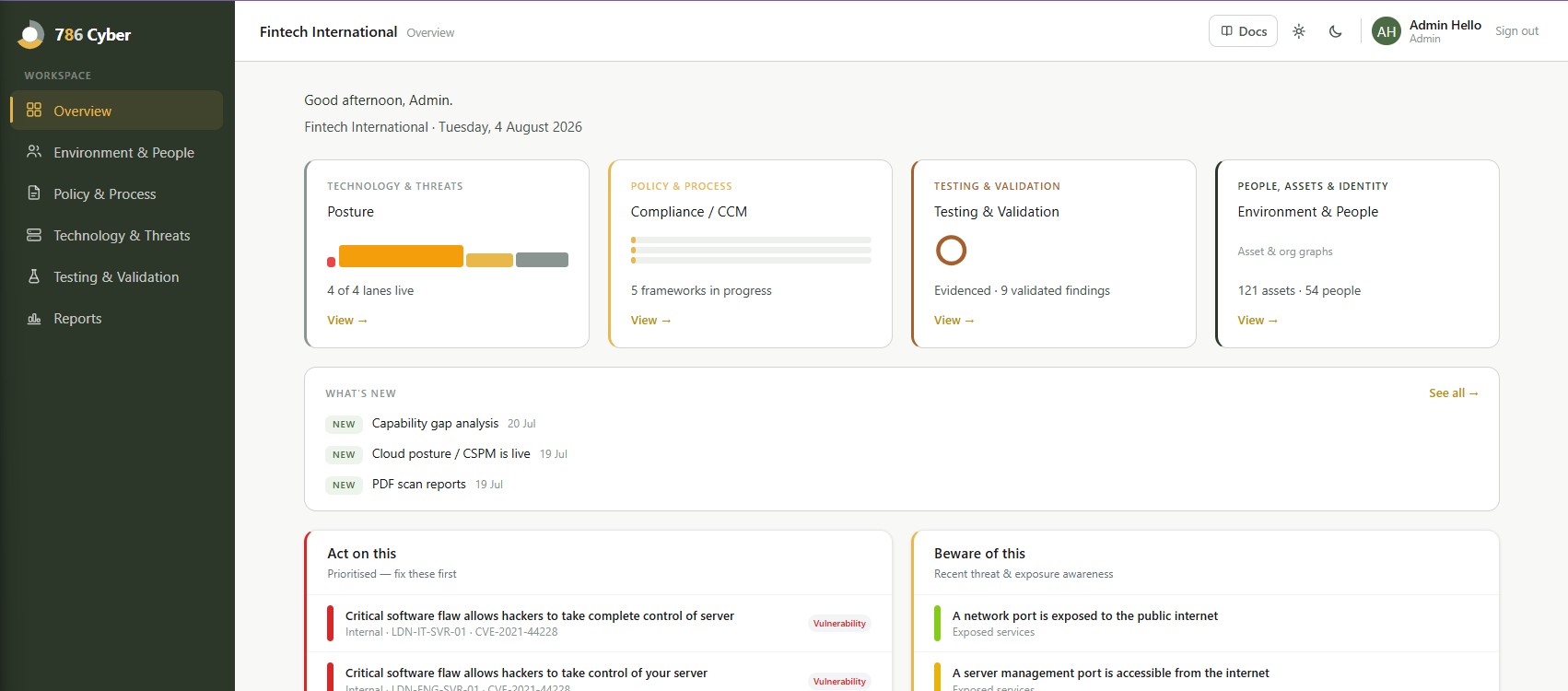
- Overview — where you stand and what to do next, and what’s new in the portal.
- Environment & People — your environment and your people in one dashboard, plus the leaver evidence report.
- People directory — adding your people, MFA status, and breach exposure.
- Departments & the org chart — grouping people, assigning managers, and visualising reporting lines.
- Assets — building your inventory of devices, domains, cloud and software.
- Network connections — linking assets to map how your environment fits together.
- Posture — vulnerability management — prioritising what to fix first across four posture lanes.
- Connect a cloud account (CSPM) — one‑time, read‑only setup for cloud posture scanning on AWS and Google Cloud.
- External monitoring — automatic checks on your internet‑facing exposure, including email authentication (SPF, DKIM, DMARC).
- Testing & Validation — admin‑gated active scanning and reconnaissance tooling, kept separate from your posture score.
- Compliance — assessments, your compliance score, the evidence vault, and the framework catalogue.
- Security capabilities — reached from Compliance/CCM: the tools your frameworks depend on, and where you’re already covered.
- Policies & controls — generating policies and managing your controls library.
- Registers — the records frameworks expect you to keep: risks, suppliers, training and policy acknowledgements, incidents, and privacy records.
- Trust Centre — a public page sharing the policies, framework results and sub-processors you choose.
- Reports — every scan and test in one filterable, exportable place.
- Team & settings — your organisation profile, plan & billing, inviting colleagues and roles, Microsoft 365 and Google Workspace integrations, and data export or deletion.
- Data & privacy — how your data is handled.
Getting help
Section titled “Getting help”Stuck or spotted something that looks wrong? Email support@786cyber.net and the team will point you in the right direction.