Network connections
Individual assets tell you what you have. Connections tell you how it all fits together — which server sits behind which firewall, which service depends on which domain. This turns your inventory into a topology map you can reason about.
Adding a connection
Section titled “Adding a connection”Connections are typed links between two assets that you add yourself:
- Open an asset from the Asset Directory.
- Choose Add connection (asset link).
- Pick the other asset and the type of relationship (for example, “connects to” / “depends on”).
- Save. The connection appears on both assets and in the graph.
Because connections are added deliberately, they reflect your understanding of the environment rather than a noisy auto‑guess.
Visualising the topology
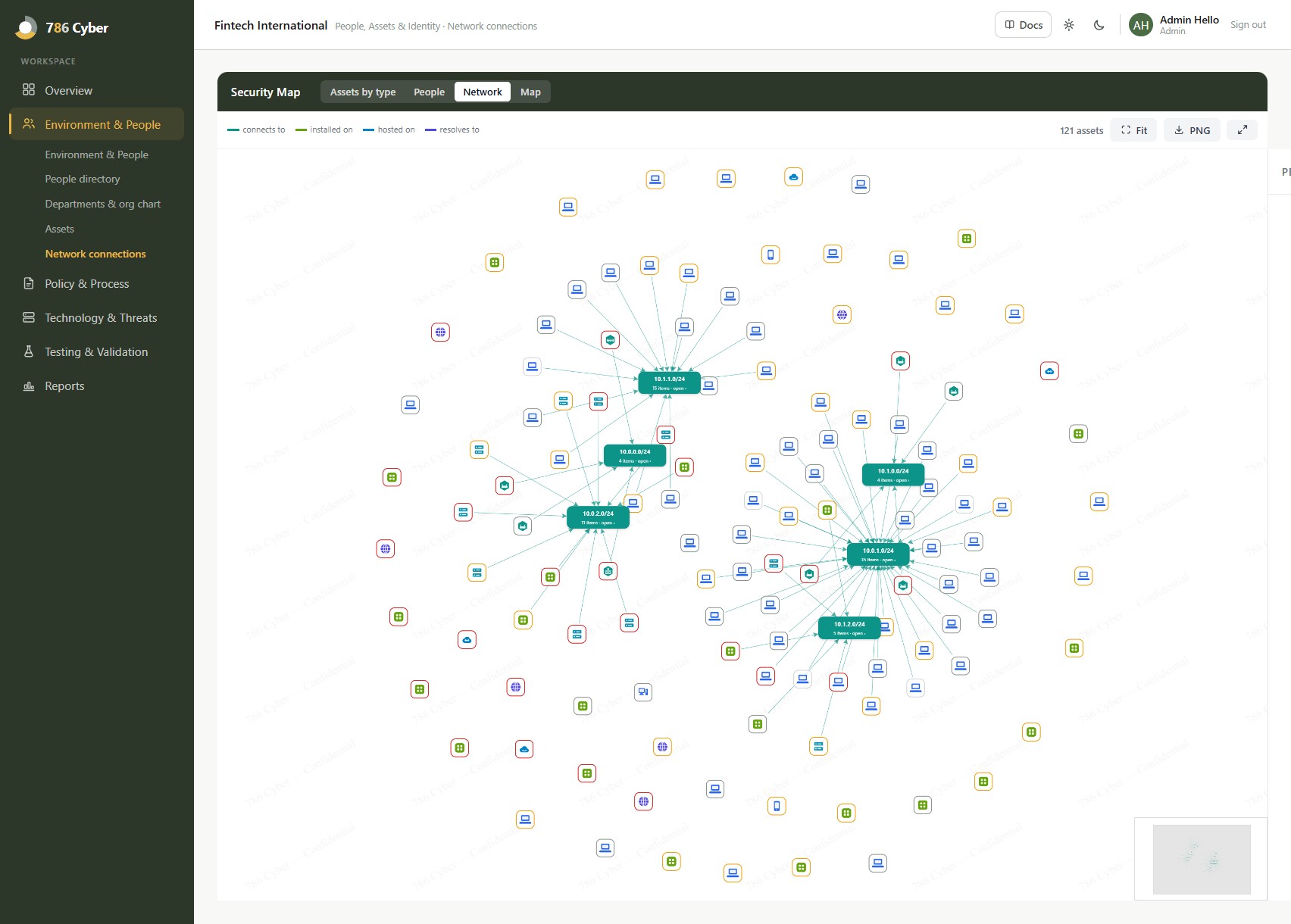
Section titled “Visualising the topology”Connected assets render in the asset graph (and feed the “Know your environment” graph on your Environment & People dashboard):
- Nodes are assets; lines are the connections you’ve added.
- Expand, filter and focus to trace how a critical system is reached.
- Combined with people and the org chart, you get a single picture of both your technical and human environment.
Note: connections are maintained manually via asset links. If you previously expected automatic topology, add the key links by hand — start with your most critical assets and the systems they depend on.
A practical way to start
Section titled “A practical way to start”You don’t need to map everything at once:
- Begin with your most critical assets (from the criticality you set in Assets).
- Add the systems each one depends on or connects to.
- Work outward until the important paths are covered.
Even a partial map of your critical systems is valuable for incident response and reviews.
Why it matters
Section titled “Why it matters”For everyday security: when something breaks or is attacked, a topology map shows you blast radius — what else is affected and what a system depends on — so you respond faster.
For compliance: network diagrams and an understanding of data/connection flows support scoping, network‑security and segmentation controls, and risk assessments. Keeping the map current means you can produce it on demand for an assessor rather than redrawing it each time.