Essentials
£249/mo
or £199/mo billed annually
compliance, plus automation
Start free →Environment & People
Know who and what can reach your environment and your data — every employee, partner, application and network — and how. One live inventory. No unknown accounts, no unknown assets.
786 Cyber builds one current picture of what your organisation runs and who works in it — assets, networks, people, departments, MFA coverage and credential exposure — from data your systems already hold, rather than from a spreadsheet someone has to remember to update.
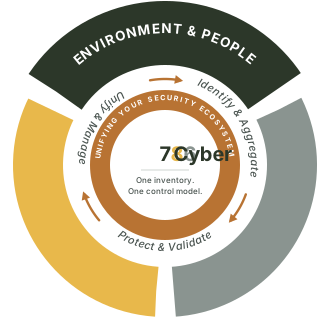
Every account, device, cloud service, domain and subdomain from every connected source — Microsoft 365, Google Workspace, AWS, CSV, manual entry — into one inventory, with an owner against each.
MFA read live in three states — enabled, disabled, unknown — dormant accounts flagged, credentials checked against breach data. Declared state is never taken on trust.
One directory and one asset register that the other two pillars and every framework read from, with joiners, movers and leavers tracked as they happen.
Why this comes first
Firewalls protect a perimeter that has moved. An attacker holding a valid username and password walks past every technical control, because as far as your systems are concerned they are a legitimate user. The defence is unglamorous: know which accounts exist, know which of them are protected, know what they can reach, and close the ones that should not be open. That is what this pillar does — both halves of it, people and environment, from one set of data.
"You cannot protect what you cannot see, and you cannot see what you have never written down. Identity governance isn't an enterprise feature — it's the foundation, and it starts with a list."
The four moments that matter
Every person who joins, moves within or leaves your organisation creates an identity event with security consequences. Who gets access? When is it revoked? Who approved it? Those questions have answers on the day they happen and no answer at all six months later, which is precisely when someone asks.
New staff need the right access from day one — no more, no less. Consistent provisioning reduces both security risk and the friction of a first week spent waiting for permissions.
Promotions and team moves add access and rarely remove any. Periodic review is what stops privilege creep — the gradual accumulation nobody intended to grant permanently.
The most dangerous identity event is a departure handled loosely. Accounts left active, access not revoked, shared credentials not rotated — each one is an incident waiting for an opportunity.
The first question is always who had access. A current directory and org chart answer it while it still matters, instead of starting a week of reconstruction.
People Directory
Identity work stalls at the same place every time: no one can produce a list of people that IT, HR and security all agree on. The security team works from an export that was accurate last quarter, HR has the joiners nobody told IT about, and the accounts of people who left are still there because no process closed them.
A single directory of every person in your organisation — name, role, department, manager, contact details, the devices assigned to them and their MFA status. It populates from Microsoft 365 or Google Workspace and stays current as your team changes, so the list reflects the day you are looking at it rather than the day someone last maintained it.
This is the identity inventory the rest of the pillar is computed from. Nothing here is a manual re-declaration of what your directory already knows — the platform reads it, and everything downstream (MFA coverage, breach exposure, the org chart) is derived from the same source rather than separately maintained.
Departments & the Org Chart
Who approves an access request, who owns a system, who needs to be told when a control changes — every one of those questions is answered by the org chart, and most organisations only have it in a slide deck. When it exists only as a drawing, it is nobody’s job to keep it right.
An interactive org chart built from the same directory data as the People Directory — departments, reporting lines and the people in them, rendered as a graph you can expand, filter and open full-screen. Departments are matched as data comes in, so an import that says "IT" and one that says "I.T." land in the same department instead of quietly forking into two.
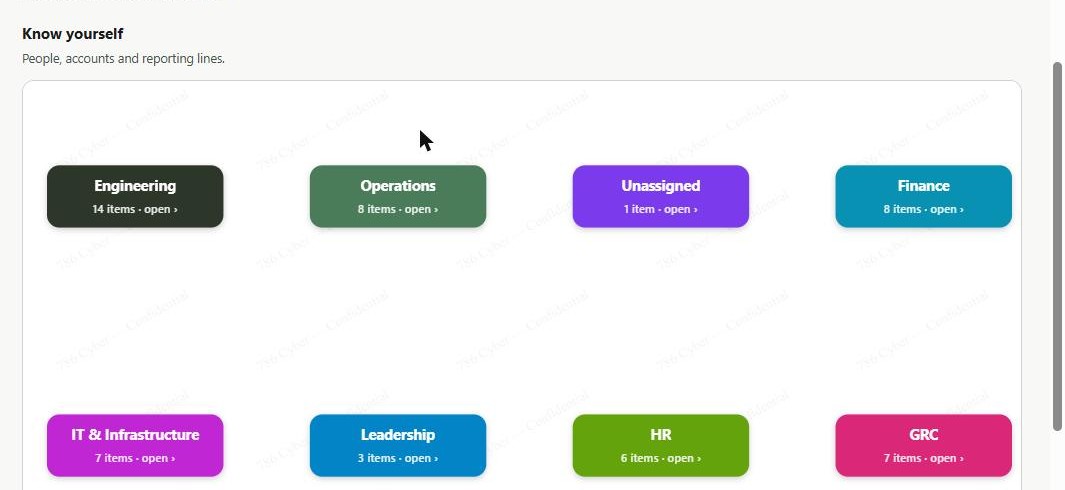
The chart is one of two graph views on the platform’s Environment & People dashboard, which frames the pillar as two questions: know your environment (what you run) and know yourself (who you are). Both halves are graphs over the same underlying data rather than separate inventories that can disagree.
Asset Intelligence & Attack Surface Mapping
Security programmes fail at the first step more often than any other — you can’t defend an asset you don’t know exists. Shadow IT, forgotten cloud instances and unmanaged subdomains are the single most common way organisations get attacked through something they didn’t know was theirs.
A single, always-current inventory across every asset type your business runs — hardware, endpoints, network devices, on-prem and cloud software, domains and cloud infrastructure. Import from CSV, sync software inventories, or add manually; every asset gets a criticality rating and a computed risk score, and the whole estate renders as a visual, grouped map you can filter by type, criticality, source or department.
This is attack surface mapping — continuously discovering and inventorying every system, service and domain you expose, rather than a point-in-time audit that’s stale the day after it’s run.
Directory Sync & CSV Import
A directory that has to be maintained by hand is a directory that goes stale, and a stale directory is worse than none: it produces confident answers that are wrong. The only inventory worth acting on is one that updates itself.
Connect Microsoft 365 (Entra ID) or Google Workspace and 786 Cyber syncs your users, their MFA status and their managed devices, keeping all three current as people join, move and leave. If your identity data lives somewhere else, CSV import covers it — with field mapping, validation before anything is written, automatic department matching, and a 24-hour rollback if an import turns out to be wrong.
Microsoft 365 and Google Workspace are both live integrations today. On-premise Active Directory and Okta are not — they are on the integrations roadmap, and CSV import is the honest answer for those environments in the meantime. The Microsoft 365 user and MFA sync works on the free Entra tier; only Exchange mail data requires a paid plan.
Joiners, Movers & Leavers
Every framework asks for the same evidence and almost nobody can produce it on demand: proof that a departing employee’s access was actually removed, and how long it took. The usual answer is a spreadsheet reconciled against HR records the week before an audit — which is why the accounts of people who left are so often still open. The question is never whether you have a leaver policy; it is whether you can show what happened last time.
Record a leaver and 786 Cyber builds the checklist from records it already holds — one line per device assigned to them, one per compliance control they own, plus platform access and mailbox transfer. It then measures time-to-revocation against your SLA (24 hours by default, 48 if you set it, immediate for an involuntary termination) and produces a leaver evidence report you can attach directly to an assessment answer. Directory syncs and a daily sweep also flag people who look like leavers with no event recorded — an account observed disabled, one that vanished from the directory, one dormant for 90 days — as suggestions a human confirms.
786 Cyber does not revoke access, and that is the design. Your administrator disables the account in Microsoft 365 or Google Workspace as they always have; we observe the next directory sync and record when it genuinely went away. So we ask for read-only directory scopes rather than write access to your tenant — and for an auditor, observing your identity provider’s actual state is stronger evidence than a vendor asserting its own write. Two consequences we hold to: the "account disabled" checklist item has no tick control at all, because an item you can tick by hand is a claim rather than evidence; and the within-SLA percentage is calculated over revocations we can evidence, never over all leavers, so the ones nobody confirmed can never quietly count as passes.
Read the guide →·Leaver revocation evidence →·Why we won't disable your accounts →
MFA Coverage
MFA coverage is usually reported as a percentage, and a percentage is where accounts go to hide. "94% coverage" sounds like a finished job; it is six people whose password is the only thing between an attacker and your email, and the percentage will not tell you which six.
MFA status is tracked per person and reported as a count — how many people have it, how many do not, and how many the platform cannot yet determine. Unknown counts as not protected, deliberately: an account whose MFA state has never been established is not evidence of anything, and treating it as a pass would be the single easiest way to make this number flattering and useless.
Status is tri-state — enabled, disabled, or unknown — set at sync or import. Reporting it as counts rather than a percentage is a deliberate product rule carried through the platform: "6 people without MFA", never "87% coverage". The same rule is why there is no single blended organisation-wide security number anywhere in 786 Cyber.
Credential & Breach Exposure
Credentials from breaches at other companies are reused against yours for years afterwards. The account holder rarely knows, the breach is rarely one of yours, and the first sign of a problem is usually a successful login that looks entirely legitimate.
The platform checks your people against known credential-breach data and reports which accounts appear in it, so you can force a reset on the accounts that need one rather than a password reset for everybody.
Breach exposure is kept as a separate indicator and deliberately not folded into a single identity number. A leaked credential is a discrete event that needs a discrete response — averaging it into a score is how an urgent finding gets quietly diluted by good news elsewhere.
Identity Posture Score
Security scores are easy to fabricate and hard to trust. Most products will show you a number on day one, before any data exists, because an empty dashboard is bad for a demo. That number is worse than no number: it gets reported upwards, and it is not measuring anything.
A single 0–100 identity posture score combining MFA coverage and credential exposure. If only one of the two inputs has a real basis, the platform shows that component on its own and flags it as partial, telling you what to do to complete it. If neither does, the score stays "in development" and no number is shown at all.
The score is 0.60 × MFA coverage + 0.40 × credential score, and it blends only when both inputs are genuinely computable. Privileged-account MFA and dormant/leaver detection are named Phase 2 inputs — they are not in this score, and this page does not imply they are. That refusal to render is the feature: an honest gap beats a fabricated number.
Overview dashboard guide →·Why coverage percentages mislead →
Assets & Network Connections
Knowing who your people are only answers half the question. The systems they reach — laptops, servers, domains, cloud accounts, the software installed on all of it — are the other half, and an inventory that covers people but not machines leaves you unable to answer the question every incident starts with: what could this account touch?
A full asset directory across every type your business runs — hardware, endpoints, network devices, on-premise and cloud software, domains and cloud infrastructure — each with a criticality rating and an owner, rendered as a filterable estate map. Alongside it, a network view showing how those assets connect, so the blast radius of any one of them is something you can see rather than guess.
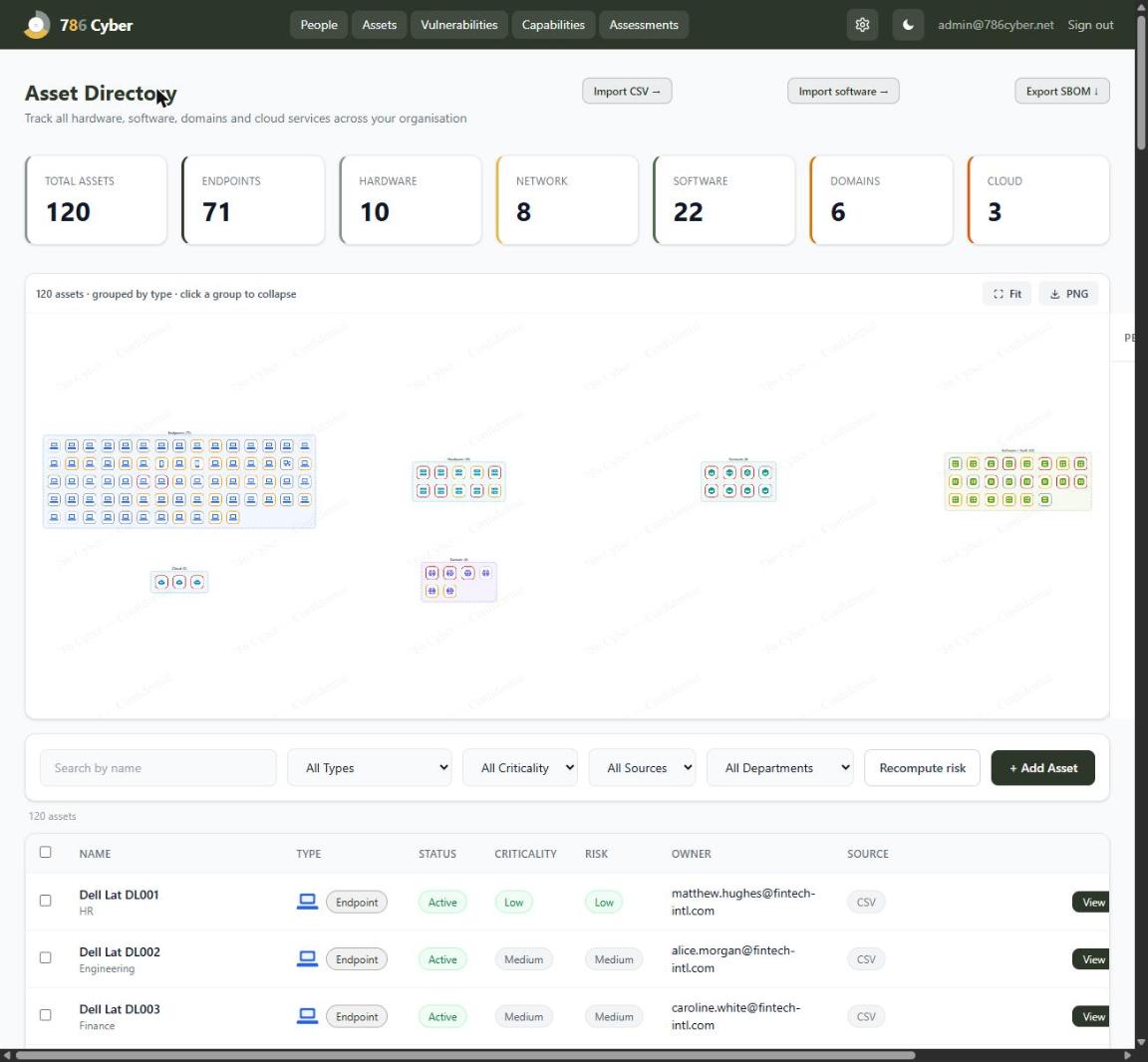
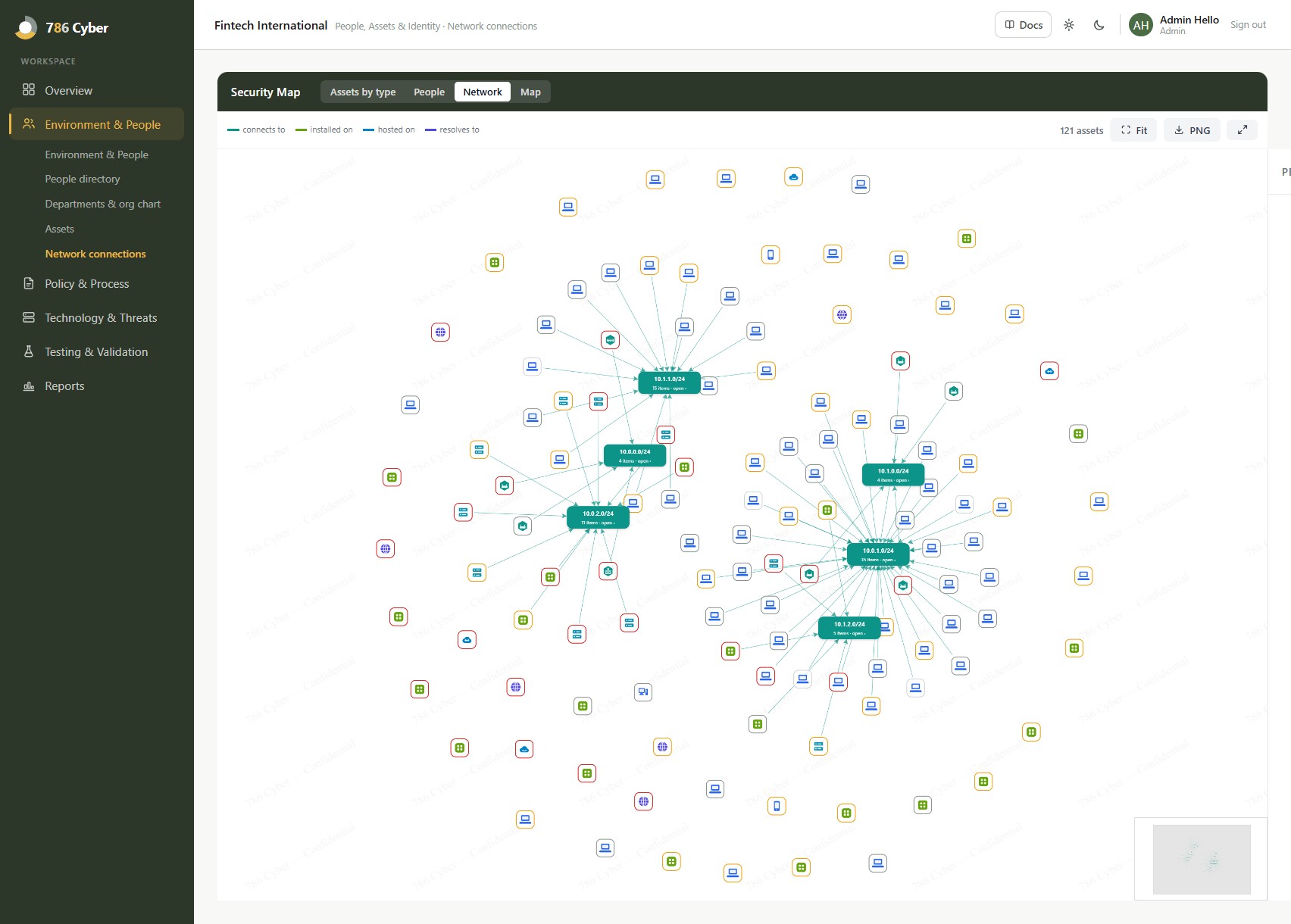
This is the "know your environment" half of the pillar. The same inventory is what Technology & Threats scans, scores and prioritises — one asset list, read by both pillars, rather than a security inventory and an IT inventory that drift apart. Connection counts shown here are the ones explicitly mapped, kept separate from inferred relationships so a guess is never presented as a known link.
Assets guide →·Network connections guide →·Technology & Threats pillar →
Straight answers
Four things are commonly assumed to be part of a pillar like this one, and are not part of ours today. They are listed here for the same reason the identity posture score refuses to show a number it hasn't earned: you will find out eventually, and it is better that you find out now, from us.
Framework coverage
MFA, access review and least privilege are requirements in almost every framework in the catalogue. 786 Cyber maps each control to every framework that asks for it, so when you implement one you can see all of them it answers and attach the same evidence to each — the work happens once even though five frameworks want it. Seeing the overlap is the point; the platform shows you the mapping rather than quietly marking the other frameworks done.
User access control is one of the five CE categories — MFA, least privilege and account review all required.
A.5.15–A.5.18 cover access control, identity management and authentication — among the most audited controls in the standard.
Article 32 requires access control and authentication as technical security measures.
Documented access control policy and privileged access management are required of essential entities.
Free for 14 days, no card. Connect Microsoft 365 or Google Workspace and see your people, devices and MFA gaps on day one.
For MSPs: enquire about the partner programme →
Environment & People is included from Essentials up; directory sync and credential monitoring are available on every paid tier.
Pricing →£249/mo
or £199/mo billed annually
compliance, plus automation
Start free →£549/mo
or £439/mo billed annually
for a scaling security function
Start free →£1,199/mo
or £959/mo billed annually
for an established programme
Start free →Just need to get compliant? Comply from £149/mo. Larger or regulated? Enterprise from £2,500/mo — talk to us →. All prices ex-VAT.